Last Tuesday, I participated in
HackEd 2.0, an education-themed hackathon put on by the Gates Foundation and hosted by Facebook at their offices in Menlo Park, CA. As I was telling my husband about it the next day, I realized that I had quite a few Opinions on the experience, enough that I decided to dust off ye old blog and use it for when I have Many Things to Say, more than can fit into 140 character tweets.
Background:
The purpose of this hackathon was to build apps in these categories: college-going, social learning, and out-of-school study. We had to form up our teams ahead of time and submit an application with this as our app idea:
Our app will allow teachers to increase student engagement with assigned books through an enriching, multimedia learning experience. Students have many different learning styles and interests, so curriculums should be flexible and adaptable. For example, teaching a unit on the book The Kite Runner could incorporate the history of Afghanistan for history-lovers, discussions on artistic expression (and repression) for art-lovers, and videos on kite fighting for sports-lovers. Our app will enable teachers to easily collect and share such materials with students and perhaps other teachers as well, fostering discussion and sharing of best practices.
We found out that we had been accepted as one of the 25 teams to participate about two weeks before the hackathon took place. Two other Hackbright teams were also accepted.
This was the first hackathon for most of us and we were all pretty much total newbies to programming just five weeks earlier at the start of Hackbright, so none of us really knew what we were getting ourselves into. We attempted to prepare for it by meeting a couple times to flesh out the details of what we wanted our app to do a bit more and go through the materials that the Gates Foundation had provided.
Day of:
The organizers made us feel really welcome and kept us well fed throughout the day, with a breakfast spread that included bagels and lox, a taco bar for lunch, and sushi for dinner, along with easy access to a microkitchen with an excellent spread of snacks and drinks. The hackathon was held in a giant room that had many different couch sections for teams to use as their home bases, and there were plenty of outlets to keep our laptops charged.
Sheryl Sandberg gave the keynote/opening speech that emphasized the dire straits that the U.S. education system is currently in, which was followed by a representative from the Gates Foundation going through some of the statistics comparing the rate at which kids from middle-high income families get into and graduate from college vs. kids from low-income backgrounds. The last talk was by someone on Facebook's developer relations team that went over the basics of how to get user data out of Facebook and some tools you could use to learn about their API. After that, they set us loose to hack away for the next 5 hours before we would have to get up in front of the whole room to do a 3 minute pitch of our idea and demo our app.
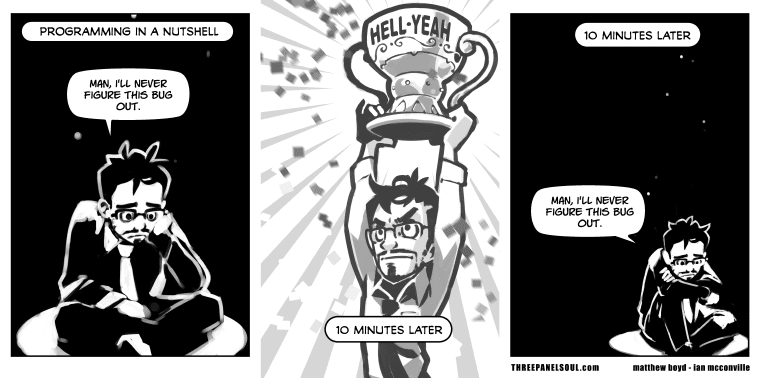
I then proceeded to spend the next
three hours (60% of our allotted time!) to figure out how to do the following:
This is about
10 lines of code total. I modified the
example Python-Facebook app from Heroku so that it would also request permission to access the Facebook user's Interests and then display those interests once the user had logged in.
Why did it take that long to do something that turned out to be fairly simple? Getting even just the example app to run took me awhile and then it was a repeated cycle of reading through
Facebook's documentation for developers and poking at the example app to see which code changes had any effect. Turns out, it takes awhile to make any headway on learning someone's API. It was very satisfying when I got those two interests from my profile to finally show up on the app page, though, and I passed over those bits of code to my teammates and spent the remaining two hours working on our pitch.
The hackathon had two pitch coaches roaming around that you could grab and try to get advice from. It was pretty informal; going in, I had thought that there would be structured sessions that would teach you how to pitch effectively at a hackathon. I'm actually not quite sure if they were Facebook or Gates Foundation employees, but the one I talked to basically said that our idea was too broad and content-driven (rather than technology-driven) and had been attempted by many others before without much success. Once he gave me some examples of how we could've tried to tackle a smaller problem instead, I could see what he meant, but this was advice that would've been more helpful two weeks before rather than two hours before the pitch was due. He did give me some practical advice in that last year, many people had apps that they wanted to demo but could've managed their time better to talk less and demo more in their precious three minutes.
I went back to my group and discussed this with them, but at that point we felt we didn't have enough time to make a major change in what we were doing (since we couldn't fully get what we wanted to do working anyway) so we soldiered on. I pulled together
a few slides for the pitch and signed us up for a slot on the early side, figuring that the judges would probably get pretty bleary-eyed near the end of all the pitches.
Once it came time to do the pitches, they set it up so that while one group was presenting, another group could get connected and they tested it was working in the back somewhere, but it went slightly awry with ours for some reason. The woman keeping track of the timer was very kind and paused it while we sorted that out. It was good (and thankfully brief) practice in public speaking.
Most of the teams created an app in the college-going category, with a few more in the social learning category, and the fewest in the out-of-school study category, which is what we entered ours in. The winner in our group,
Quizlet's Lockscreen, had a working mobile app that gets you to practice vocabulary in foreign languages before you can unlock your phone. Pretty cool and nifty, though on the other hand, this is what their company does for a living ("simple tools that allow you to study anything, for free").
Advice for new developers attending their first hackathon:
- SIMPLIFY THE SCOPE OF YOUR APP, especially for a one-day hackathon like this one. It's much better to feel like you have plenty of time to tack on stuff later rather than rushing desperately to get something, anything done.
- Reduce any pressure you put on yourself as much as possible. I started getting a bit nervous about the whole thing the night before but felt a lot better once I decided to think of the day as "a visit to Facebook that happened to have some hacking work thrown in."
- Focus on one small, new thing that you want to learn. For me, it was just how to pull out the user's profile data that we wanted, but I think some the other teams got a bit overwhelmed by all the different pieces it would take to get the app up and running on Heroku and such and left Facebook feeling really demoralized and defeated. :(
- If you have the time/inclination, try to go through any basic tutorials on that API with an example app beforehand. If you can't do it beforehand, try to make your app something that you can just adapt the example app into to use to reduce the things that you have to do, like figuring out how to build the login process.
- Befriend someone with frontend/design skills so that you have something pretty for your demo.
- Even though it's only a three minute pitch, it's still worthwhile to figure out what you want to say and show and practice it beforehand so you know how to pace yourself. There were a few teams that ran out of time to show all the other cool features they'd built, which was a shame.
Feedback for Facebook:
- I had a hard time wading through the developer documentation. A lot of that was of course my own inexperience, but it seemed like there were two levels of documentation--really high-level best practices (like these on asking for permissions generally when I was trying to figure out how you ask for specific permissions) and then really detailed documentation on the specific properties. It didn't seem like there was much in the middle to connect the dots for "ok, I know I want to ask for permission to access user_interests, but how do I do that?"
- The Graph API explorer tool is awesome (once I figured out how to use it and that its purpose is to allow you to get a sense of the structure of the data you're requesting).
- A more detailed, optional session on using the Facebook API for newbie programmers would've been well worth the time for us to attend.
Feedback for the Gates Foundation:
- If there are people unfamiliar with the edtech industry attending the event, it would be helpful to include some summaries on other strategies and apps that have been tried and what the difficulties encountered were.
- Since the ideas are submitted ahead of time and therefore go through a preliminary judging for the application, someone with experience should give some quick feedback right then to help the team with planning.
- It may be worthwhile to reconsider the format of this hackathon so that it's more productive towards the Gates Foundation's goals "to do things differently, not just better." Extending it to two days could be a start, but I've been thinking that the innovation that springs from a hackathon-type event comes from strangers with very different areas of expertise working together to develop a new idea, which you don't have as much with pre-formed teams. To get more of that, you could have either a longer competition where the entrants have a few months and can start coding as soon as they know that their idea has been accepted, or a hackathon where ideas and teams are formed at the beginning of the first day.
1752 words of description and Opinions, not too shabby. For another take on the same event, my teammate Kelley wrote a
HackEd 2.0 recap post as well.